01What it does
What does the TikStage Live Connection do?
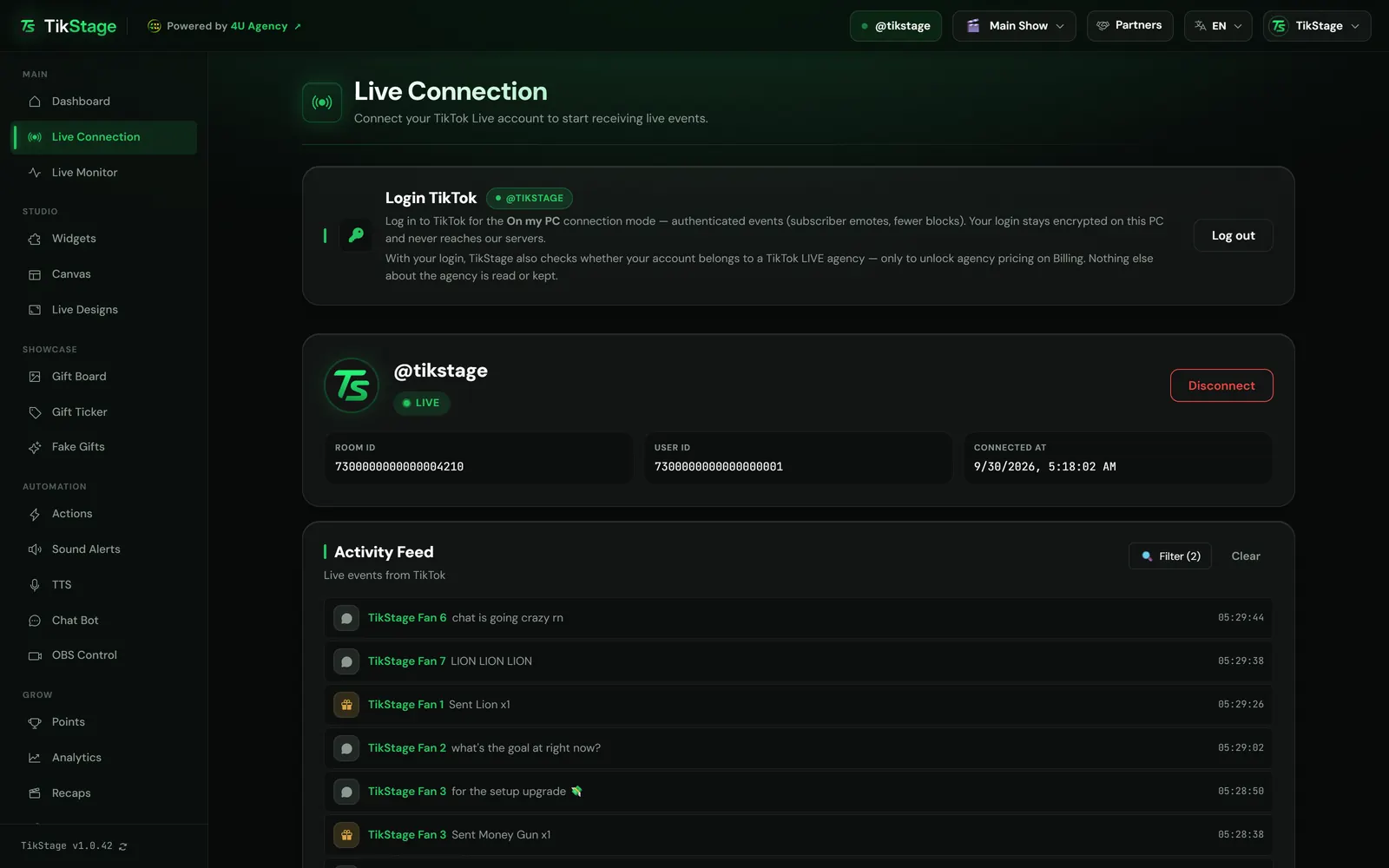
The TikStage Live Connection links TikStage to your own TikTok LIVE. You log in to TikTok inside the TikStage desktop app and press Connect once your LIVE has started. Your LIVE's events then reach TikStage, and the page shows the status and a feed of what is happening.
At a glance
| Plan | Free on every plan. Nothing on this page needs Premium. |
|---|---|
| Where it runs | The TikStage desktop app for Windows 10 and 11. Not in a web browser, no Mac build. |
| What it needs | A TikStage account, your TikTok login inside the app, and a LIVE that has already started. |
| Connect from | The top bar button on any page, or Connect on the Live Connection page. |
| Connection mode | On my PC, the only one: it connects with your own TikTok login. |
| Your TikTok login | Kept encrypted on your PC. It never reaches TikStage's servers. |
02How to connect
How do I connect my TikTok LIVE to TikStage?
Install the TikStage desktop app for Windows, log in to TikTok on the Live Connection page, start your LIVE, then press Connect in the top bar. After the first setup, each LIVE takes one click.
Get the desktop app
Install TikStage for Windows and sign in to your TikStage account.
Download TikStage for WindowsLog in to TikTok
On Live Connection, press Login TikTok. TikTok's own login page opens in an app window; once you are in, the card shows your @name in a green pill.
Start your LIVE
Go live on TikTok first, for example from TikTok LIVE Studio. TikStage connects only to a LIVE that is already running.
Press Connect
Press Connect @yourname in the top bar, on any page. The card on the page works too: its @username box fills in with your logged-in account.
Check that it worked
The top bar button turns green with your @name, the card shows a LIVE pill, and events start to appear in the Activity Feed.
03Status
How do I know TikStage is connected to my LIVE?
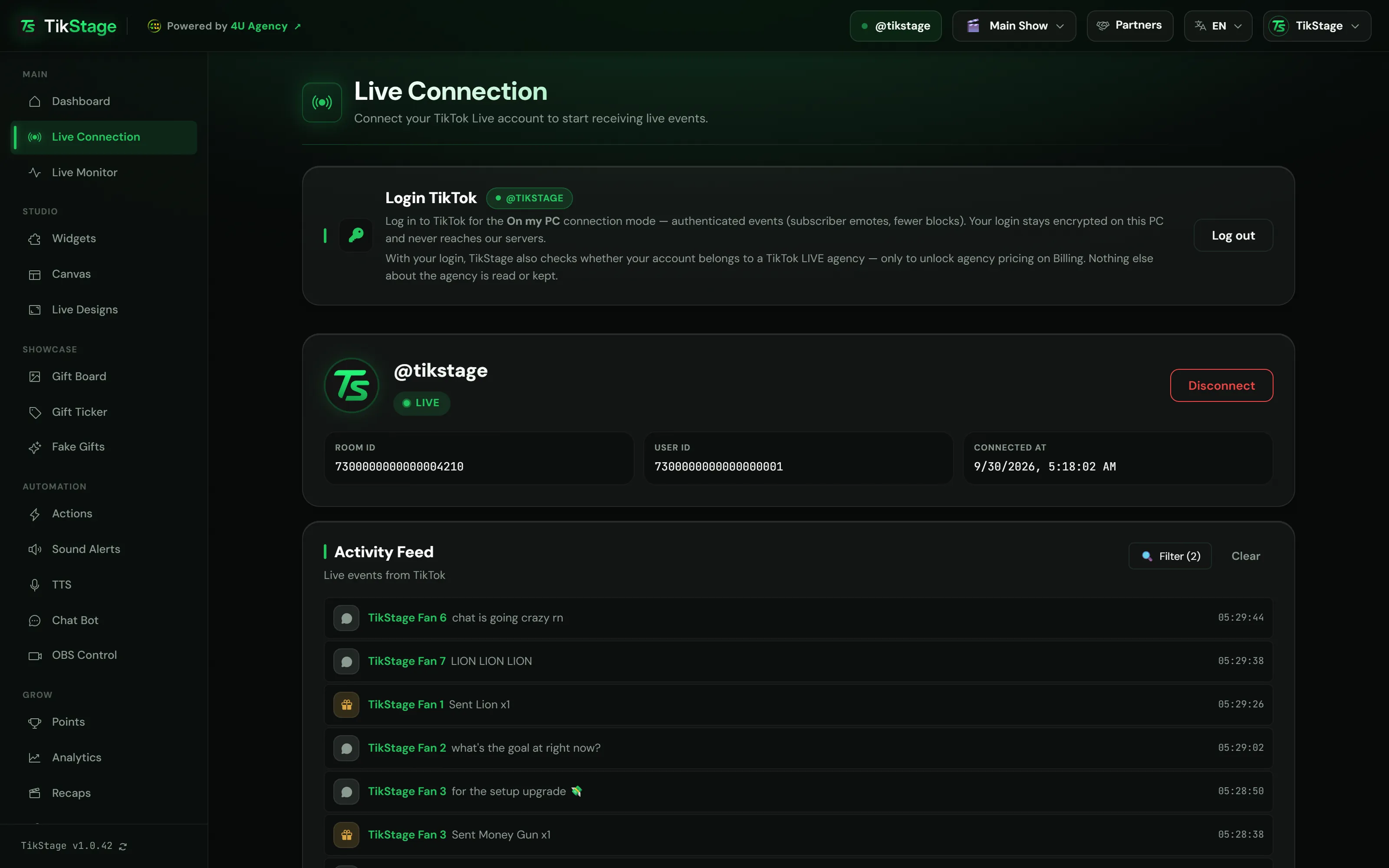
In the TikStage app, look at the Connect button in the top bar: connected, it shows your @name with a pulsing green dot. On the Live Connection page, the card shows a green LIVE pill, your Room ID and the time you connected.
| The top bar button shows | What it means |
|---|---|
| Connect @yourname | Ready. One click connects to that account's LIVE. |
| Connect to a TikTok LIVE | No account known yet. The click opens the Live Connection page, where you log in to TikTok. |
| An orange dot | Connecting, or reconnecting after a drop. |
| Your @name, green dot | Connected. A click asks Disconnect from the live? before it disconnects. |
| Greyed out, Reconnecting… | The app lost contact with TikStage. Your TikTok LIVE is most likely still running, and the button updates itself once contact is back. |
| A small warning icon | The last attempt failed. Hover the button to read why. |
On the page, the card adds Room ID, User ID and Connected at, with a red Disconnect button. After a failed attempt it shows Last attempt: with the reason in plain words, such as "This TikTok account isn't LIVE right now" or "Your TikTok login expired".
Widgets in TikTok LIVE Studio
If TikStage sees your widgets stutter in TikTok LIVE Studio (for example on a monitor above 120 Hz), Connect first opens a red window with the fixes. Continue anyway connects without them.
04Activity Feed
What does the Activity Feed show?
The Activity Feed on the Live Connection page lists your LIVE's events as they arrive, newest on top: gifts, follows, subscribes, comments, shares, member joins, likes and viewer counts. A quick way to check that TikStage receives your LIVE.
Each row has an icon for the event type, the viewer's name, the message and the time. The feed keeps the last 30 events and starts empty each time you open the page. Clear empties it.
Filter (N) opens Show event types: eight checkboxes, plus Select all and Clear all. Likes and System (viewer count) start unticked, so they do not drown the rest. Your choice is remembered on that computer and changes only this feed, not your widgets or alerts. If events arrive but none match, the feed says so.
Below it, the folded Debug Panel holds the connection's technical log; Copy puts it on your clipboard, ready to send to support.
05Drops and LIVE end
What happens if the connection drops or my LIVE ends?
If the connection to your LIVE drops, the TikStage app reconnects on its own and the card on the Live Connection page reads Reconnecting…. When your LIVE is over, the connection ends by itself and TikStage saves a recap of the stream.
While it reconnects, the top bar button's dot and the card's pill turn orange. It stops when your LIVE has ended or it cannot get back in, and the card returns to the Connect form.
If connecting keeps failing
For some connection errors, a second failed try opens a short recovery guide in the app with four steps:
- Log out of your TikTok account in TikStage.
- Close the TikStage app completely.
- Open TikStage again and log in to TikTok.
- Connect to your live.
When the LIVE ends, the alerts on screen are cleared and a green line across the app says Your stream recap is ready, with the diamonds of the night and a Make the video button.
06Limits
What are the limits?
TikStage's Live Connection needs the Windows desktop app, a running LIVE and your TikTok login on that PC, and it cannot count events from a time it was not connected.
- Windows desktop app only (Windows 10 and 11): the website has no dashboard, and there is no Mac build.
- Your LIVE has to be running first. On an account that isn't LIVE, Connect stops and tells you so.
- Keep the app open while you stream: the connection runs in it, and nothing arrives while it is closed. Closed for more than 2 minutes, the connection ends and you press Connect again.
- Gifts, comments and likes that arrive while you are disconnected are not counted later.
- Your TikTok login stays on that computer: on another PC, or when the login expires, log in again. An outdated app version cannot connect until you update it.
07Is it free?
Is the TikStage Live Connection free?
Yes. The TikStage Live Connection, with its status and Activity Feed, is free on every plan, including the Free plan with no expiry date.
Free plan
The whole Live Connection
TikTok login, Connect, status, Activity Feed and Debug Panel. Stream recaps are free too.
Premium
The same connection
Premium unlocks other features, such as the Chat Bot and Analytics. On Free, this page shows a Become a Premium member card.
08FAQ
More questions creators ask
Do I need to be live before I press Connect?
Yes. Start your LIVE on TikTok first; on an account that isn't LIVE, Connect stops and says so.
Is my TikTok password sent to TikStage?
No. You log in on TikTok's own login page inside the app, and the login stays encrypted on your PC. It never reaches TikStage's servers.
Do I have to press Connect on every LIVE?
Yes, once per LIVE. The connection ends with the LIVE, so the next one starts with one click on Connect.
Does it work with TikTok LIVE Studio?
Yes. Start your LIVE in LIVE Studio, then press Connect in TikStage. Your widgets can sit in LIVE Studio directly or come in from OBS.
Can I use TikStage in a web browser instead?
Not the dashboard. Signed in on the website, you get a page that points you to the Windows app, where the connection runs.