01What it does
What does TikStage text-to-speech do on TikTok LIVE?
TikStage's text-to-speech (TTS) reads your TikTok LIVE chat comments out loud, one at a time, in the voice you pick. It plays through your PC's sound, so OBS can capture it as desktop audio and your viewers hear it on stream.
At a glance
| Plan | Free on every plan. No TTS setting needs Premium. |
|---|---|
| Where it runs | The TikStage desktop app for Windows. Not in a browser, no Mac build. |
| What it reads | Chat comments. Gifts, follows and other events can be spoken through Actions. |
| Voices | Hundreds, close to 500 today, across 150 languages and regional variants. |
| What it needs | The desktop app open, TikStage connected to your LIVE, the TTS switch on, and an internet connection. |
| Settings | Saved in your TikStage account, so they follow you to another PC. |
02How to set it up
How do I set up text-to-speech for my TikTok LIVE?
Install the TikStage desktop app for Windows, connect it to your TikTok LIVE, open the TTS page, switch TTS on and pick a voice. Then make sure OBS captures your desktop audio, so viewers hear what TikStage reads.
Get the desktop app
TTS runs only in the TikStage app for Windows.
Download TikStage for WindowsConnect to your LIVE
Sign in and connect TikStage to your TikTok LIVE on the Live Connection page.
Switch it on
On the TTS page, the strip at the top holds the master switch. It starts as TTS is off, with a Start here hint next to it.
Pick and hear a voice
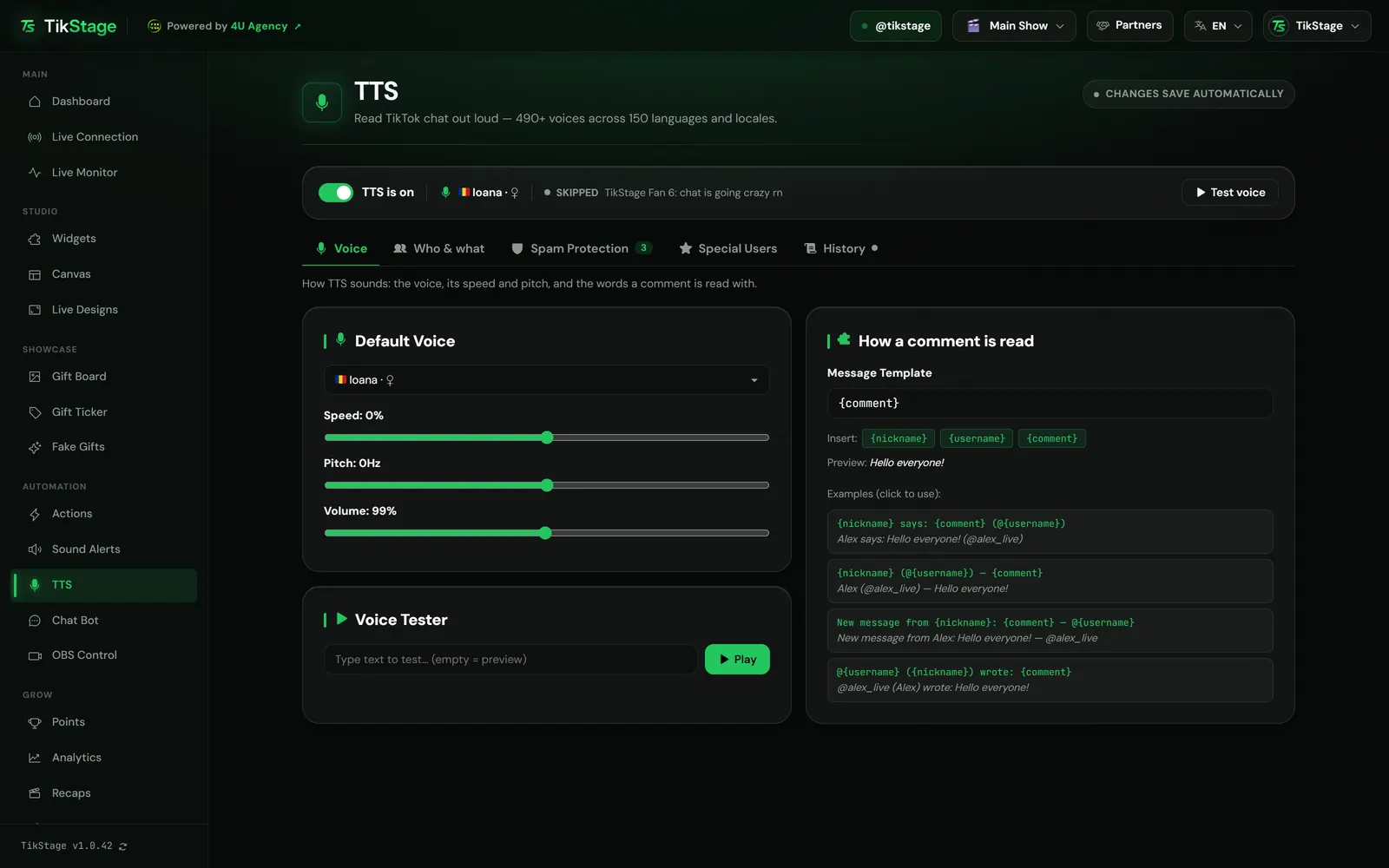
On the Voice tab, choose a Default Voice, set speed, pitch and volume, and press Test voice to hear it.
Let OBS hear it
TikStage plays the voice through your PC's sound. Capture your desktop audio in OBS so the voice goes out with your stream.
03Voices
Which TTS voices can I use?
TikStage TTS offers hundreds of voices, close to 500 in the app today, covering 150 languages and regional variants.
The Default Voice picker groups voices by country, with a flag, and has a search box that finds a voice by its name, its country or its language code, such as ro-RO or en-GB. English alone has more than 60 voices, from the US, the UK, Australia, India and more. A new account starts with Aria, a US English voice.
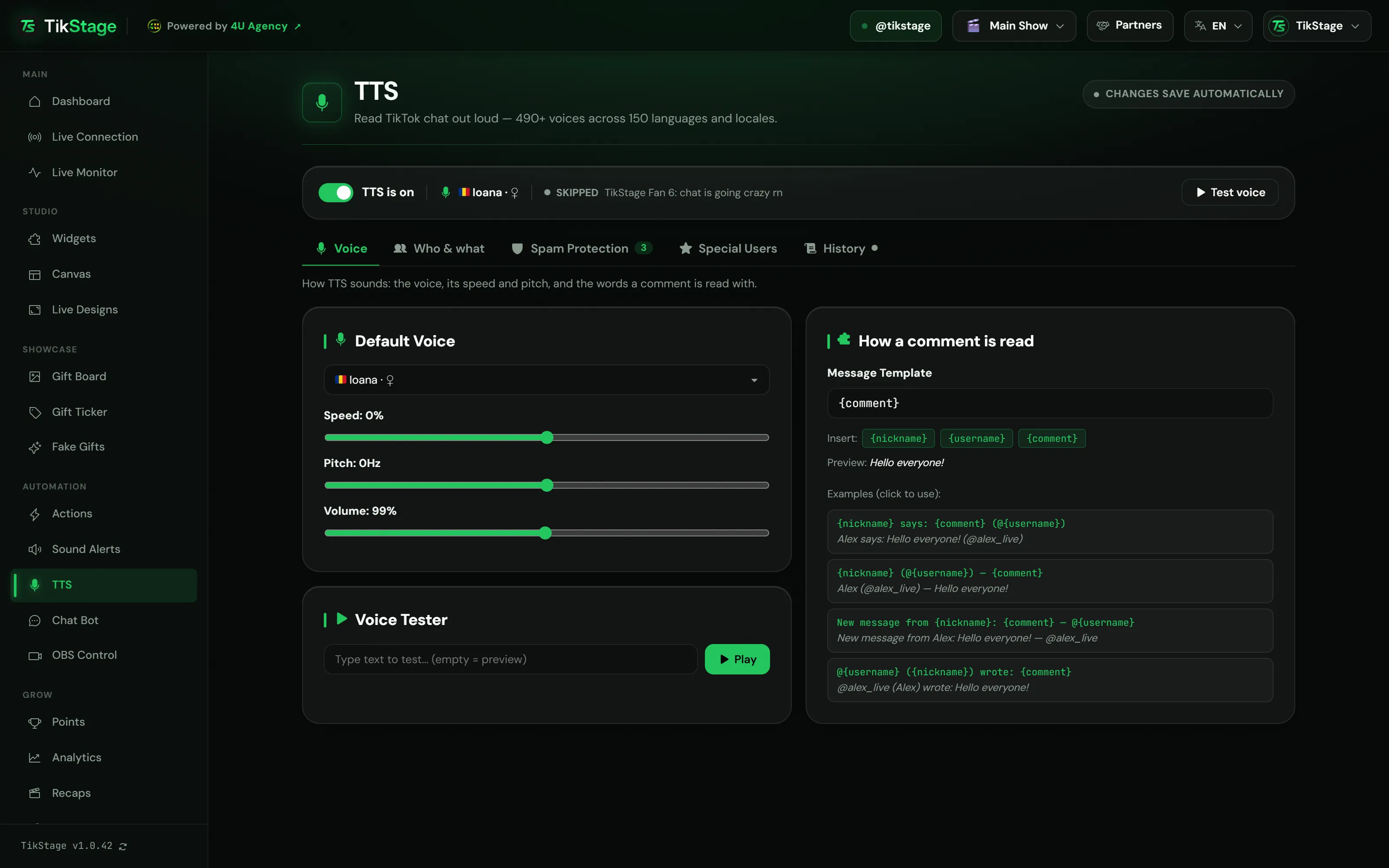
The How a comment is read card holds the Message Template: the words around each comment, up to 200 characters. It starts as {comment}, so only the comment is read. {nickname} adds the viewer's display name and {username} their @handle.
{comment}

tikstageHello everyone!
{nickname} says: {comment} (@{username})
tikstageTikStage says: Hello everyone! (@tikstage)
04Who & what
Can I choose whose comments TTS reads?
Yes. On the Who & what tab you let TikStage TTS read everyone, or only the groups you tick, such as followers, Super Fans, moderators or viewers on your own list. You also choose which comments count: all of them, or only those that start with a dot, a slash or your own command.
All Users is the default. Choose Only these viewers: and eight groups appear; a viewer is read if they belong to any group you ticked.
| Option | What is read |
|---|---|
| Any comment | Every comment from an allowed viewer. This is the default. |
| Comments starting with dot (.) | Only comments that start with a dot. The dot is not read. |
| Comments starting with slash (/) | Only comments that start with a slash, read without it. |
| Comments starting with command: | Only comments that start with the command in the box next to it (up to 32 characters; it starts as !tts2). Upper and lower case do not matter, and the command is not read. |
On the Special Users tab you add viewers by their TikTok @username, then block them or give them their own voice and speed. A blocked viewer is never read, whoever else is allowed. Viewers switched to Allowed there also make up the Allowed Users from list group, which matters when you choose Only these viewers:.
05Spam Protection
How do I stop TTS from reading spam or bad words?
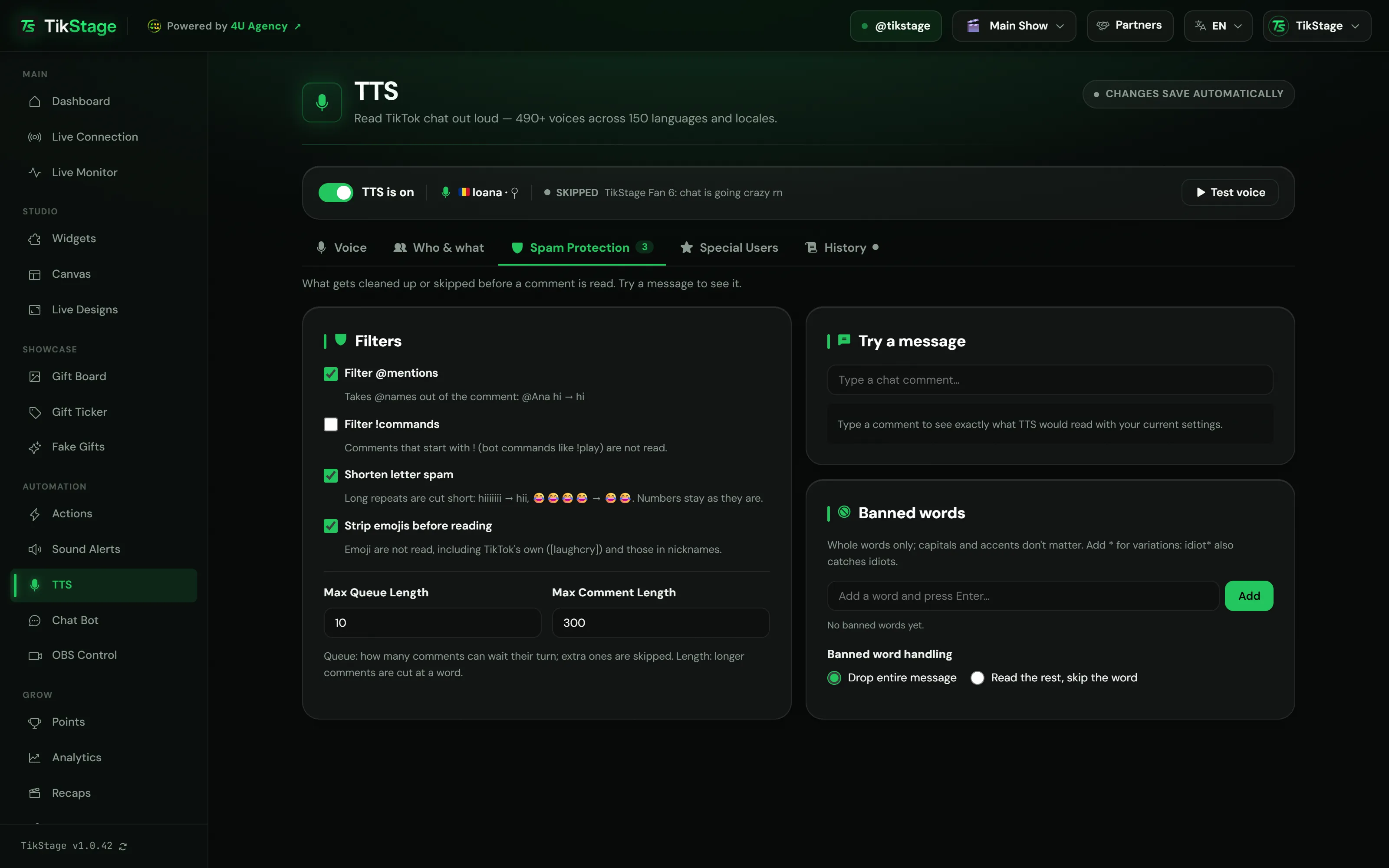
With the Spam Protection tab. TikStage cleans every comment before it is read: it can take out @mentions and emoji, shorten letter spam, skip !commands, cut long comments, and drop or skip your banned words.
| Filter | Default | What it does |
|---|---|---|
| Filter @mentions | On | Takes @names out of the comment. |
| Filter !commands | Off | Comments that start with !, such as bot commands like !play, are not read. |
| Shorten letter spam | Off | Long repeats are cut to two: the same letter, a short pattern such as "haha", or the same word. |
| Strip emojis before reading | On | Emoji are not read, including TikTok's own such as [laughcry], and those in nicknames. |
Add words to Banned words and choose what happens under Banned word handling: Drop entire message, the default, or Read the rest, skip the word, which leaves the word out rather than reading asterisks. Type any chat comment into Try a message and the box shows TTS reads with the exact text, or Not read with the reason.
06Limits
What are the limits?
TikStage TTS runs only in the Windows desktop app while it is connected to your LIVE, and reads chat comments one at a time.
- Windows desktop app only: no browser version, no Mac build, no TikStage phone app.
- The app must be open and connected to your LIVE. Comments from before TikStage connected are not read.
- The voice plays through the TikStage app on your PC's sound output; TikStage has no setting to pick another device. Viewers only hear it if your streaming software captures desktop audio.
- One comment at a time. When the queue is full, new comments are skipped, not saved for later.
- One voice reads every comment, whatever its language: there is no language detection and no random voice per viewer. Special Users are the way to give someone their own voice.
07Is it free?
Is TikStage TTS free?
Yes. Text-to-speech is free on every TikStage plan, including the Free plan with no expiry date. Every voice and every TTS setting is the same on Free and Premium.
Free plan
All of TTS
Every voice, Who & what, Spam Protection, Special Users and History. Actions that read a line count toward the Free plan's 5 active actions.
Premium
All of TTS
The same TTS, with no extra TTS features. Premium lifts the limit on active actions, so any number of them can speak.
08FAQ
More questions creators ask
Does it work in a browser or on a Mac?
No. TTS runs only in the TikStage desktop app for Windows.
Can it read only comments that start with !tts?
Yes. Under Which comments are read, choose Comments starting with command: and type !tts in the box. Only those comments are read, without the command.
Can it read gifts and follows?
Not on its own: the TTS page reads chat comments. Create an action with Read the message out loud, linked to a follow or a gift trigger, and it speaks your text in the TTS voice.
Does it read emojis?
Not by default, because Strip emojis before reading is on. Switch it off and emoji reach the voice, and TikStage says their names in languages whose voices would skip them.
Why was a comment not read?
Open the History tab. It lists the last 50 comments as played, skipped or blocked, with the reason, such as Not allowed, Banned word or Queue full.