01What it does
What does the TikStage link in bio do?
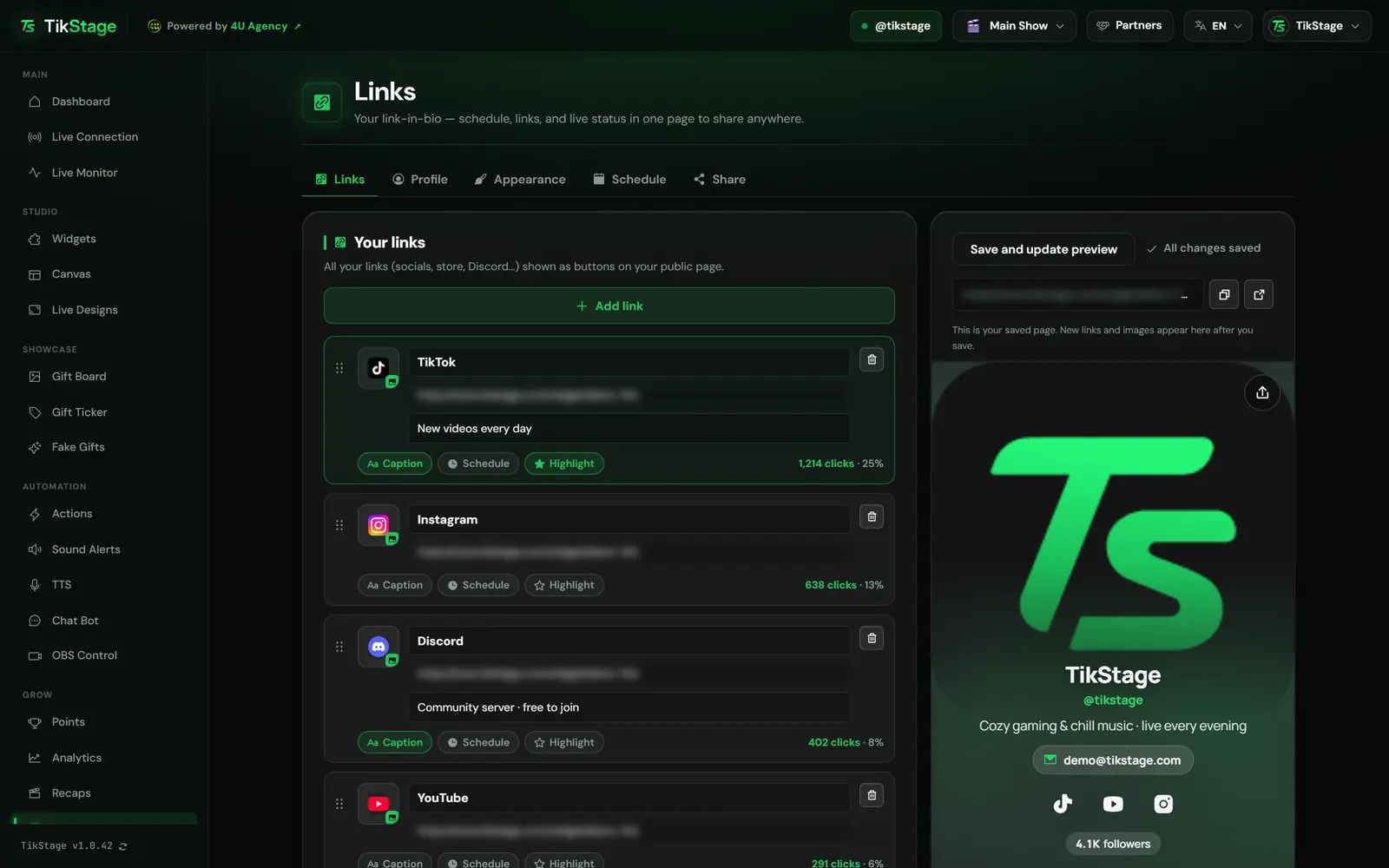
TikStage's Links page builds a public link-in-bio page for your TikTok profile at tikstage.com/s/your-name. Visitors see your links as buttons, when you go live each week, the streams you announced and, while TikStage is connected to your LIVE, a Live now banner that opens it.
At a glance
| Plan | Free on every plan. No part of the Links page needs Premium. |
|---|---|
| Where you edit it | The Links page of the TikStage desktop app for Windows. |
| Who can open it | Anyone, while the page is public, in any browser on a phone or a computer, including the one inside TikTok. No app, no account. |
| Your address | tikstage.com/s/your-name. You choose what comes after /s/. |
| Looks | Five themes (Dark Glow, Minimal Light, Aurora, Glass and Neon) in your accent colour. |
| Languages | 18. The page uses each visitor's phone language, or the one you pin. |
02How to set it up
How do I make a TikTok link in bio with TikStage?
Open the Links page in the TikStage desktop app, add your links, fill in your profile, add the hours you go live, then copy your address and put it in your TikTok bio.
Get the desktop app
You edit the page in the TikStage app for Windows. Open Links in the sidebar.
Download TikStage for WindowsAdd your links
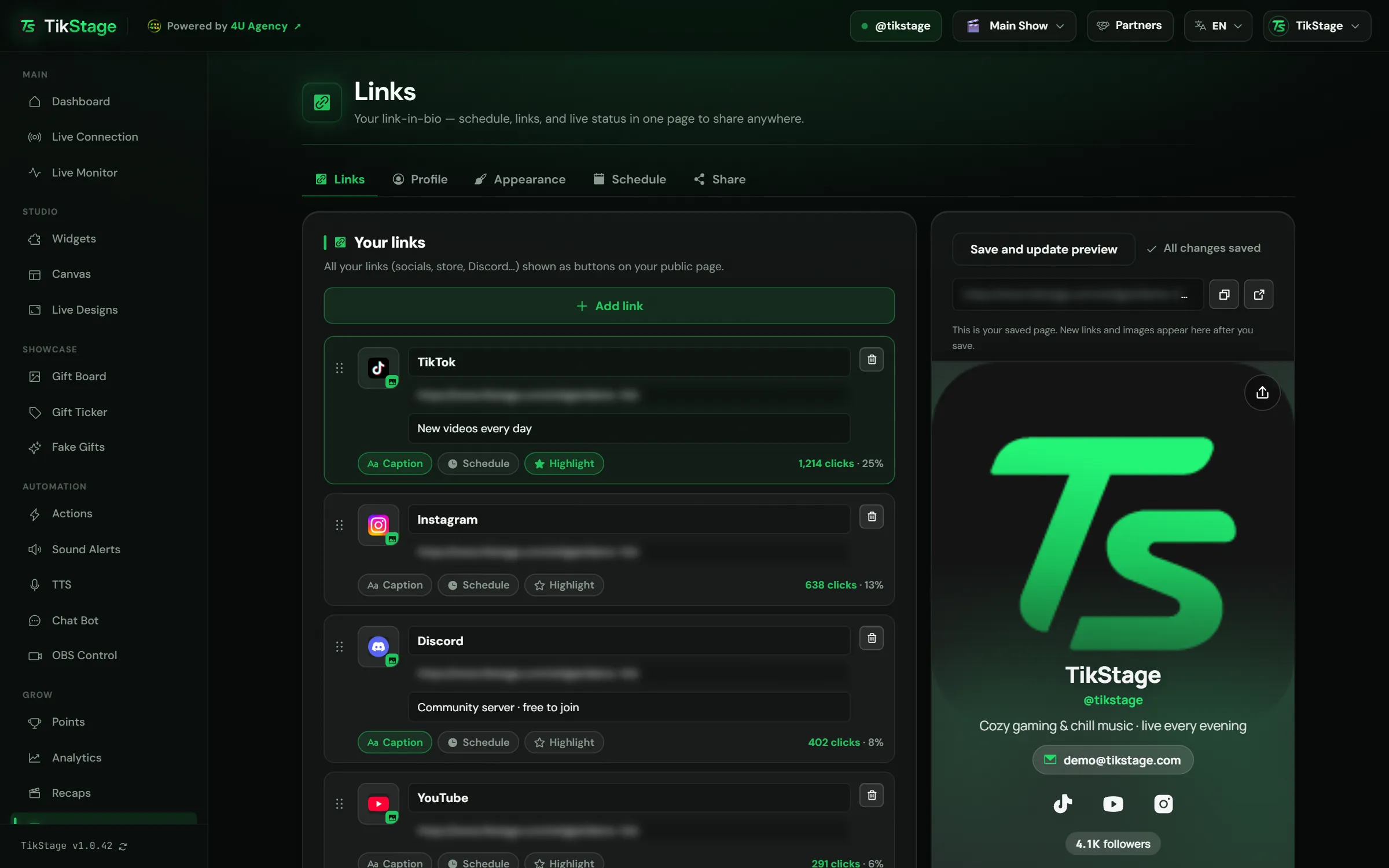
On the Links tab, press Add link and type a label and an address. Then press Save and update preview: one Save keeps every tab, and a dot marks a tab with unsaved changes.
Make it yours
On Profile, add your photo, name, description and Collabs email, and choose whether to show your follower count and top supporters. On Appearance, pick a theme and an accent colour.
Add when you go live
On Schedule, add your usual hours under Weekly schedule and any special stream under Coming up.
Put it in your bio
On Share, press Copy link and put the address in your TikTok bio.
03Links
How do the link buttons work?
Each link is a button on your TikStage page, with the site's own logo or your own image. In the editor, every link can get a caption, a time window or the headline spot, and shows how many clicks it got.
| Option | What it does |
|---|---|
| Caption | One short line under the label, up to 80 characters. |
| Schedule | Shows the link only between From and Until. Outside that time it is not on your page at all. |
| Highlight | Makes it the headline link, bigger and above the others. Only one link can have it. |
Click a link's picture square to upload your own image; TikStage crops it square for you. Drag the six dots, or use the arrow keys, to change the order. You can have up to 30 links.
04Schedule & Live now
Can my link in bio show my TikTok LIVE schedule?
Yes. The TikStage page shows your weekly LIVE hours with a countdown to your next stream, the one-off streams you announce, and a Live now banner that opens your TikTok LIVE while TikStage is connected to it.
Under Weekly schedule, each day from Monday to Sunday has Add time; a day with no hours stays Off and does not appear on the page. Coming up announces a stream on a date, with a title and an optional note. It is saved right away, shows above your links, and leaves the page on its own two hours after its start time.
- Live now: while TikStage is connected to your LIVE, a banner with your viewer count that opens it. The page checks every 30 seconds.
- Your time: when a visitor's time zone differs from yours, each weekly slot also shows in their time, and your events switch to it.
- Starts in: under your weekly hours, a countdown to your next time slot or event, hidden while you are live.
- Last live: how long ago your latest recapped LIVE ended, how long it ran and its peak viewers.
- Last 30 days: a strip of the days you went live, with your run of days in a row.
06Limits
What are the limits?
The TikStage link in bio is edited only in the Windows app, and its live parts know only the LIVEs TikStage was connected to.
- You edit the page only in the TikStage desktop app for Windows. Visitors need nothing.
- Up to 30 links (labels of 60 characters, captions of 80) and 50 weekly time slots. A time slot cannot run past midnight.
- Live now, the last live line and the 30-day strip only count the LIVEs TikStage was connected to.
- Only the page's own words change language. Your labels, description and events show as you typed them.
- A link's click count follows its address: rename the link and the count stays, change the address and it starts again.
07Is it free?
Is the TikStage link in bio free?
Yes. The Links page and your public page are free on every TikStage plan, including the Free plan with no expiry date. Every tab, every theme, the QR code and the stats are the same on Free and Premium.
Free plan
The whole page
Links, Profile, Appearance, Schedule and Share, every theme, the QR code and the stats.
Premium
The whole page
The same Links page, with no extra link-in-bio features.
08FAQ
More questions creators ask
Do my viewers need TikStage or an account?
No. The page opens in any browser, including the one inside the TikTok app, without an account.
Why does my page not show Live now?
The banner appears only while TikStage, in the desktop app, is connected to the LIVE of the TikTok account you signed in with. The page checks every 30 seconds.
Can I hide my page?
Yes. On the Share tab, untick Page is public and press Save and update preview. The address then says the page doesn't exist or is private.
Can I show a link only for a few days?
Yes. Press Schedule on the link, set From and Until, then save. Outside that time the link is not on your page.
Does the page work in other languages?
Yes, in 18 languages. It follows each visitor's phone language unless you pin one under Page language; your own words are not translated.