01What it does
What does TikStage LIVE Setup do?
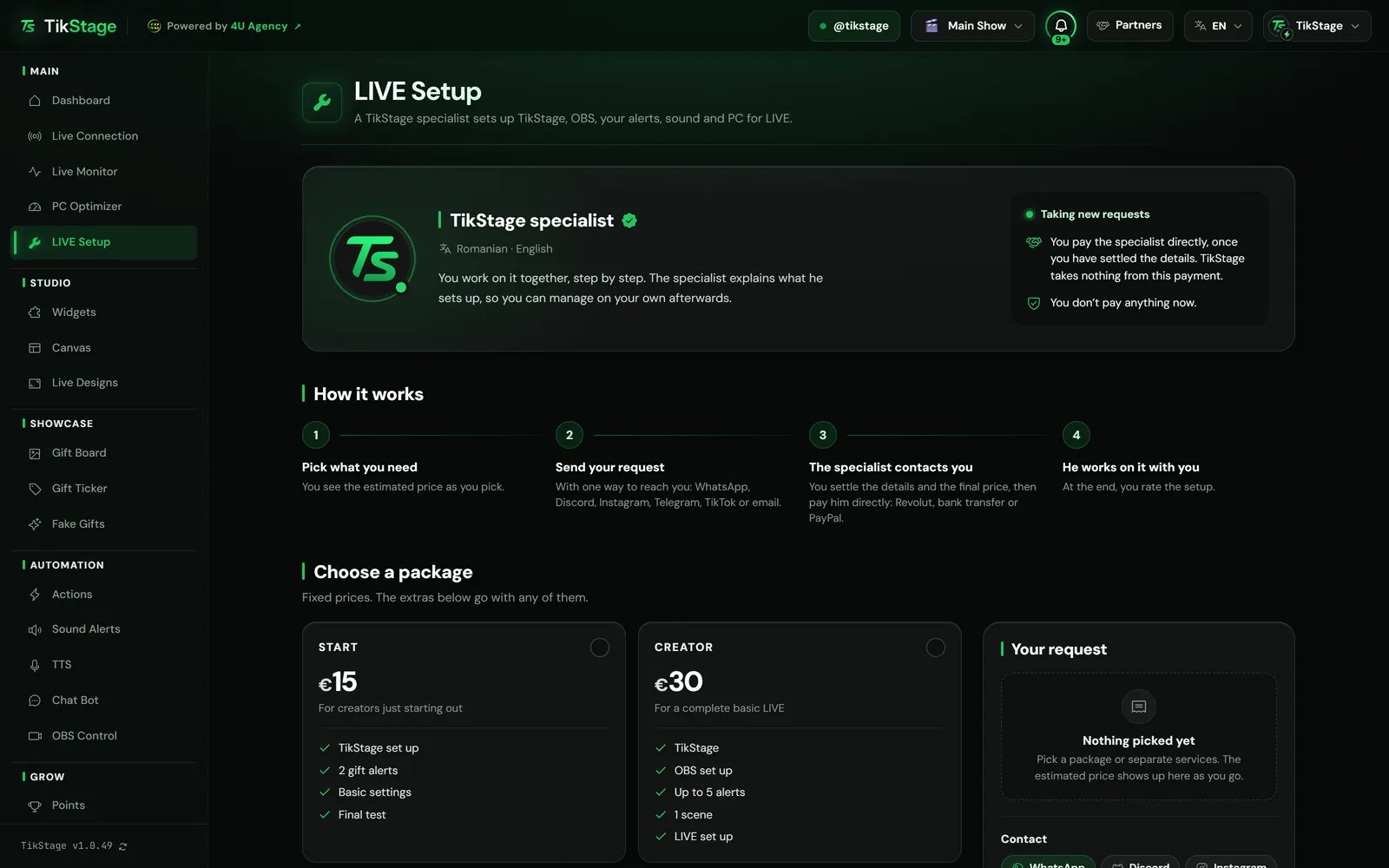
TikStage LIVE Setup is a page in the TikStage desktop app where you ask a specialist appointed by TikStage to set up TikStage, OBS, your alerts, sound and PC for LIVE. You pick what you need and send a request, he contacts you, and you pay him directly, not TikStage.
At a glance
| Who does the work | A specialist appointed by TikStage. The page shows his photo, the languages he speaks and, once he has 3 ratings, his average rating. |
|---|---|
| What he sets up | TikStage, OBS, your alerts, sound and PC for LIVE, depending on what you pick. |
| Price | Packages from €15 to €75, or separate services, plus extras. The page shows an estimate; you settle the final price with him. |
| How you pay | Directly to the specialist, by Revolut, bank transfer or PayPal. TikStage takes nothing from this payment. |
| Where | The LIVE Setup page in the TikStage desktop app for Windows, and a card on the Dashboard. |
| Plan | Every TikStage plan, including Free. Sending a request costs nothing. |
02How to request it
How do I get help setting up my TikTok LIVE?
Open LIVE Setup in the TikStage desktop app, pick a package or separate services, say how the specialist can reach you and how you would like to pay, and press Send request. You don't pay anything when you send it.
Open LIVE Setup
It sits in the sidebar of the TikStage desktop app, right after PC Optimizer. The Dashboard card What’s holding your LIVE back? leads there too.
Download TikStage for WindowsPick what you need
A package, or separate services instead, plus any extras. In Your request, the estimated price adds up as you pick.
Say how to reach you
Choose WhatsApp, Discord, Instagram, Telegram, TikTok or email, and how you would like to pay. In the notes, say what game you stream, what camera and microphone you have and what isn't working.
Tick the box and send
The box lets the specialist see your request, your TikTok account and your contact details. Then press Send request.
Wait for his message
The specialist contacts you where you said. The page shows each step of your request.
03Packages and prices
What can the specialist set up, and what does it cost?
TikStage LIVE Setup has four packages with fixed prices, from €15 for START to €75 for FULL SETUP, or separate services instead of a package. Extras go on top of either, and the page adds up an estimated price as you pick.
| Package | What it includes | Price |
|---|---|---|
| START | TikStage set up, 2 gift alerts, basic settings, a final test | €15 |
| CREATOR | TikStage, OBS set up, up to 5 alerts, 1 scene, LIVE set up | €30 |
| PRO | TikStage fully set up, OBS set up, up to 10 alerts, 2 scenes, LIVE optimization, basic audio optimization | €50 |
| FULL SETUP | TikStage, OBS, custom scenes, custom alerts, audio, PC optimization, TikTok LIVE optimization, a final test | €75 |
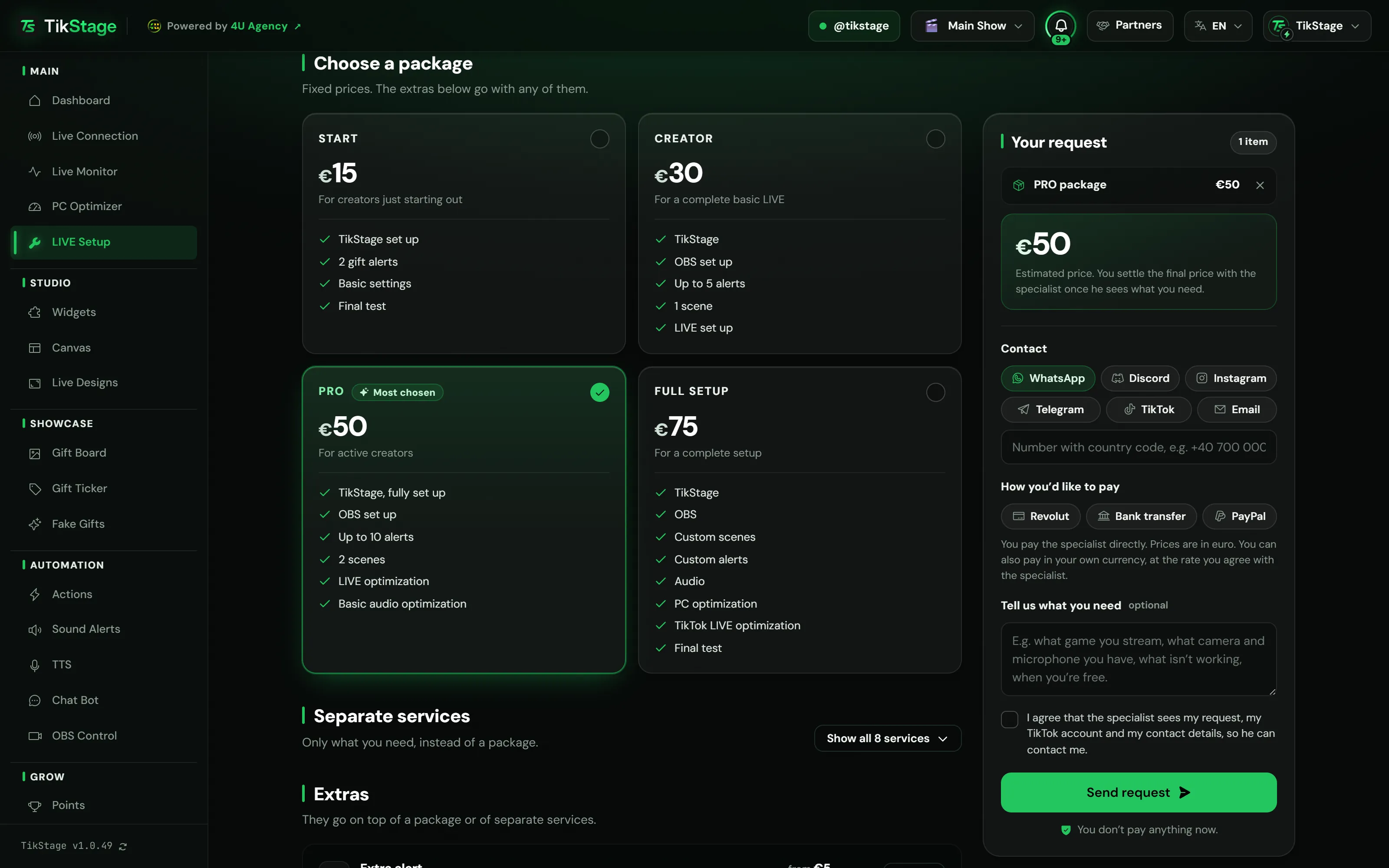
A package or separate services, not both. The eight separate services, such as a simple OBS scene or PC optimization for LIVE, replace a package. The seven extras, such as an extra alert, a set of 3 custom scenes or support afterwards, go with either. For a custom automation or a custom TikStage, describe your idea in the notes.
Prices are in euro, and you can pay in your own currency at the rate you agree with the specialist. Under the offer, Technical details lists what each area covers, from your microphone and voice levels to drivers and background processes on your PC.
04After you send it
What happens after I send a setup request?
The specialist sees your TikStage LIVE Setup request and contacts you on the channel you chose. You settle the details and the final price, pay him directly and work on the setup together, while the page shows each step.
| Step | What it means |
|---|---|
| Sent | The specialist has your request and will contact you soon. |
| Accepted | He accepted it and contacts you on the channel you gave. |
| In progress | You are working on the setup together. |
| Done | The setup is finished, and you rate it from 1 to 5 stars. |
| Declined | He can't take it. You see his reason, if he gave one, and you can send a new request. |
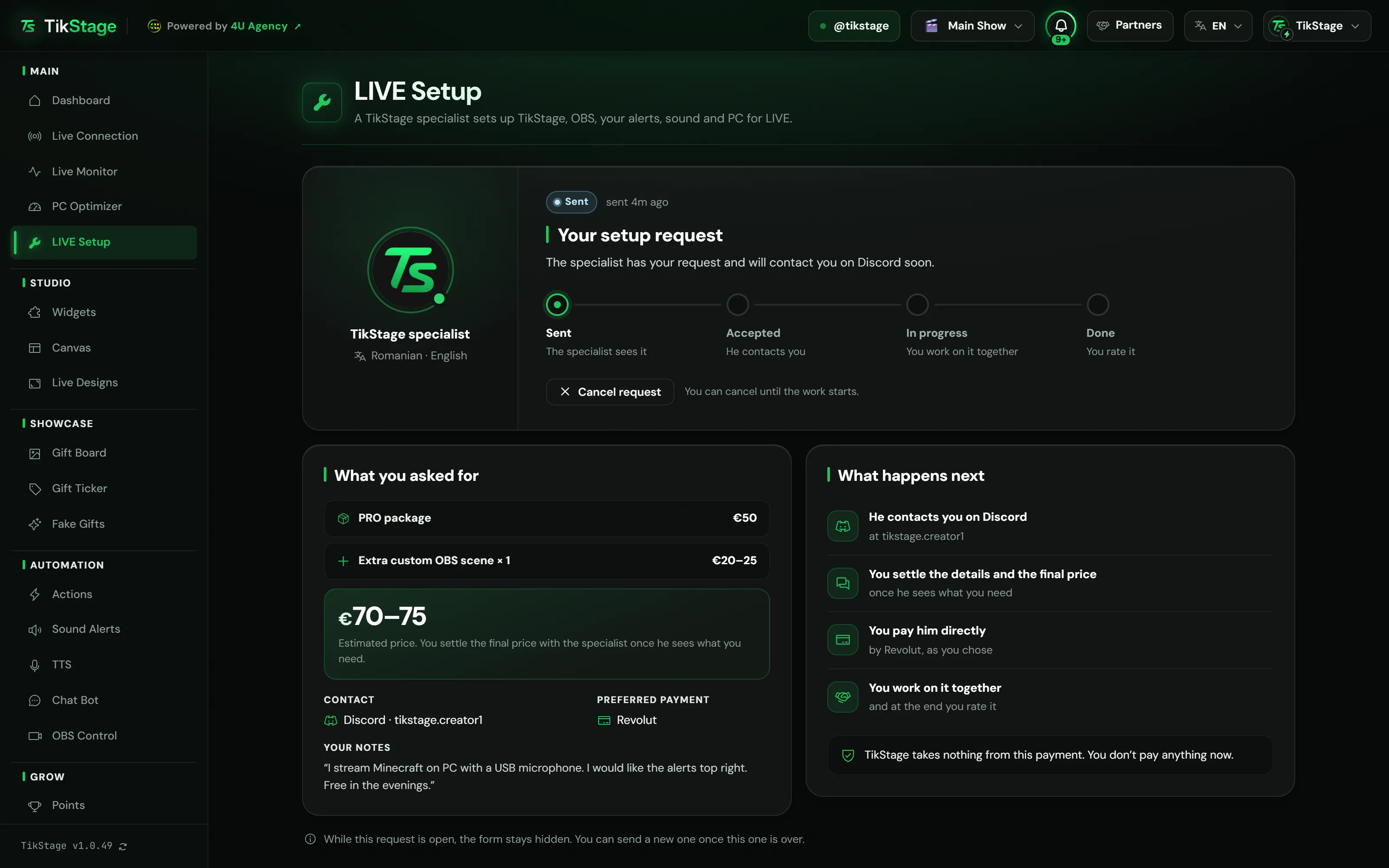
You can Cancel request until the work starts. Once the specialist records the price you agreed, your request shows it as the final price.
Your rating helps other creators choose. They see only the specialist's average and number of reviews, shown from 3 ratings, never your words.
05Limits
What are the limits?
TikStage LIVE Setup works only in the Windows desktop app, you can have one open request at a time, and the price on the page is an estimate until you settle it with the specialist.
- Windows desktop app only: the page does not open in a web browser.
- One open request at a time, and at most 3 requests sent in 24 hours, cancelled ones included.
- The page shows an estimated price. Some extras are priced "from", and the final price is settled with the specialist.
- At times the specialist is not taking new requests, and he can decline a request.
- Not included: hardware repairs or new components, your internet speed, TikTok or TikStage being available, and complex original graphics, 3D animations or extended branding unless they are in the offer.
06Is it free?
Is TikStage LIVE Setup free?
No, the setup is paid work: you pay the specialist directly, and TikStage takes nothing from that payment. The LIVE Setup page itself is in every TikStage plan, including the Free plan with no expiry date, and sending a request costs nothing.
Any TikStage plan
Page and request
Open LIVE Setup and send a request on Free or Premium. You don't pay anything when you send it.
The setup
Paid to the specialist
Packages from €15. You pay him directly, by Revolut, bank transfer or PayPal, once you have settled the details.
07FAQ
More questions creators ask
Does TikStage take a cut of the payment?
No. You pay the specialist directly, and TikStage takes nothing from this payment.
Do I pay anything when I send the request?
No. You pay only after the specialist contacts you and you settle the details and the final price.
Can I pay in my own currency?
Yes. Prices are in euro, and you can pay in your own currency at the rate you agree with the specialist.
Can I cancel my request?
Yes, until the work starts: while the request is Sent or Accepted.
Can I send another request later?
Yes, once the current one is over (done, declined or cancelled), with at most 3 requests sent in 24 hours.
What do the problems on the Dashboard card do?
Each one, such as "My LIVE freezes", opens LIVE Setup with a package already picked, which you can change.