01What it does
What does the TikStage Gift Ticker do?
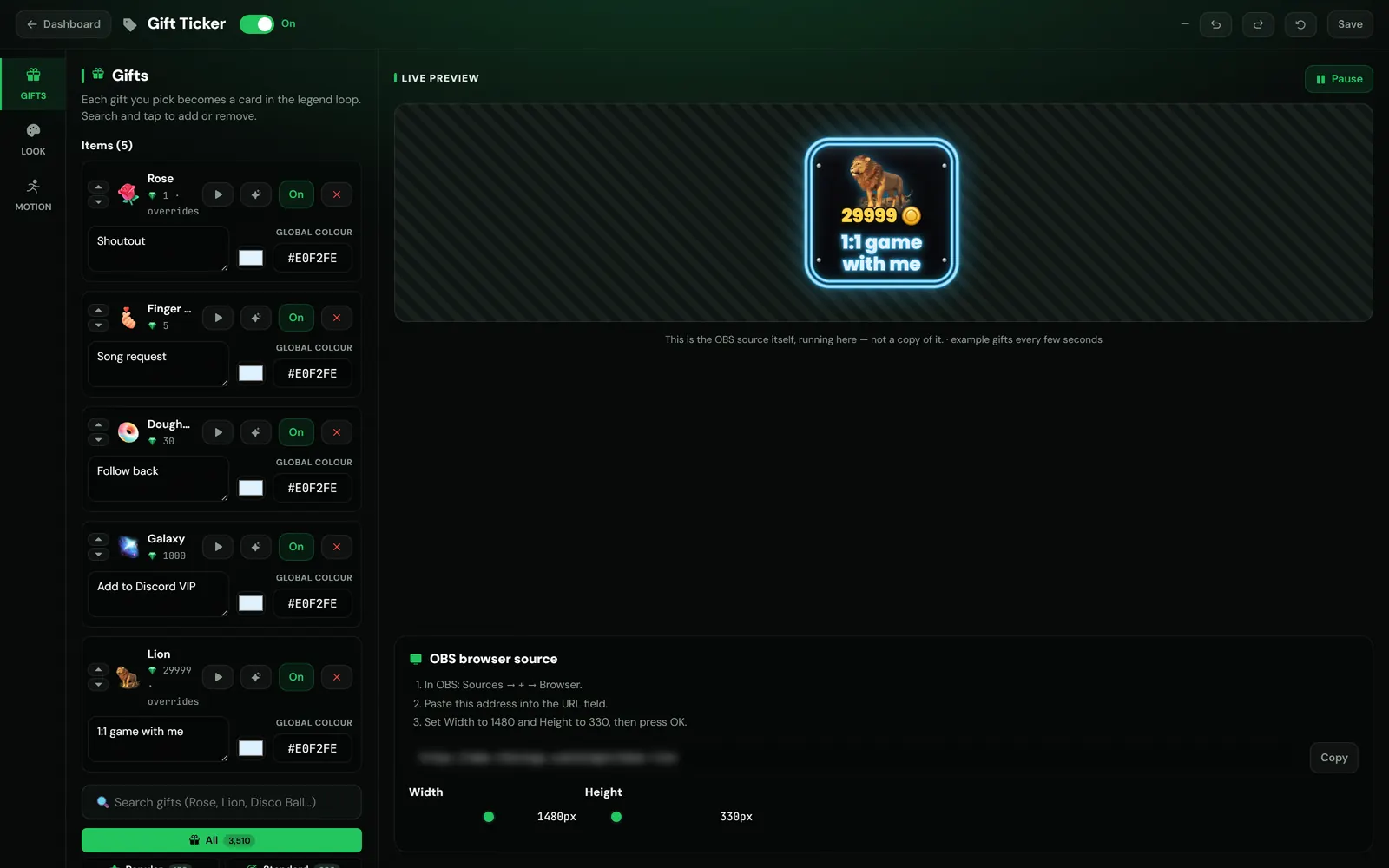
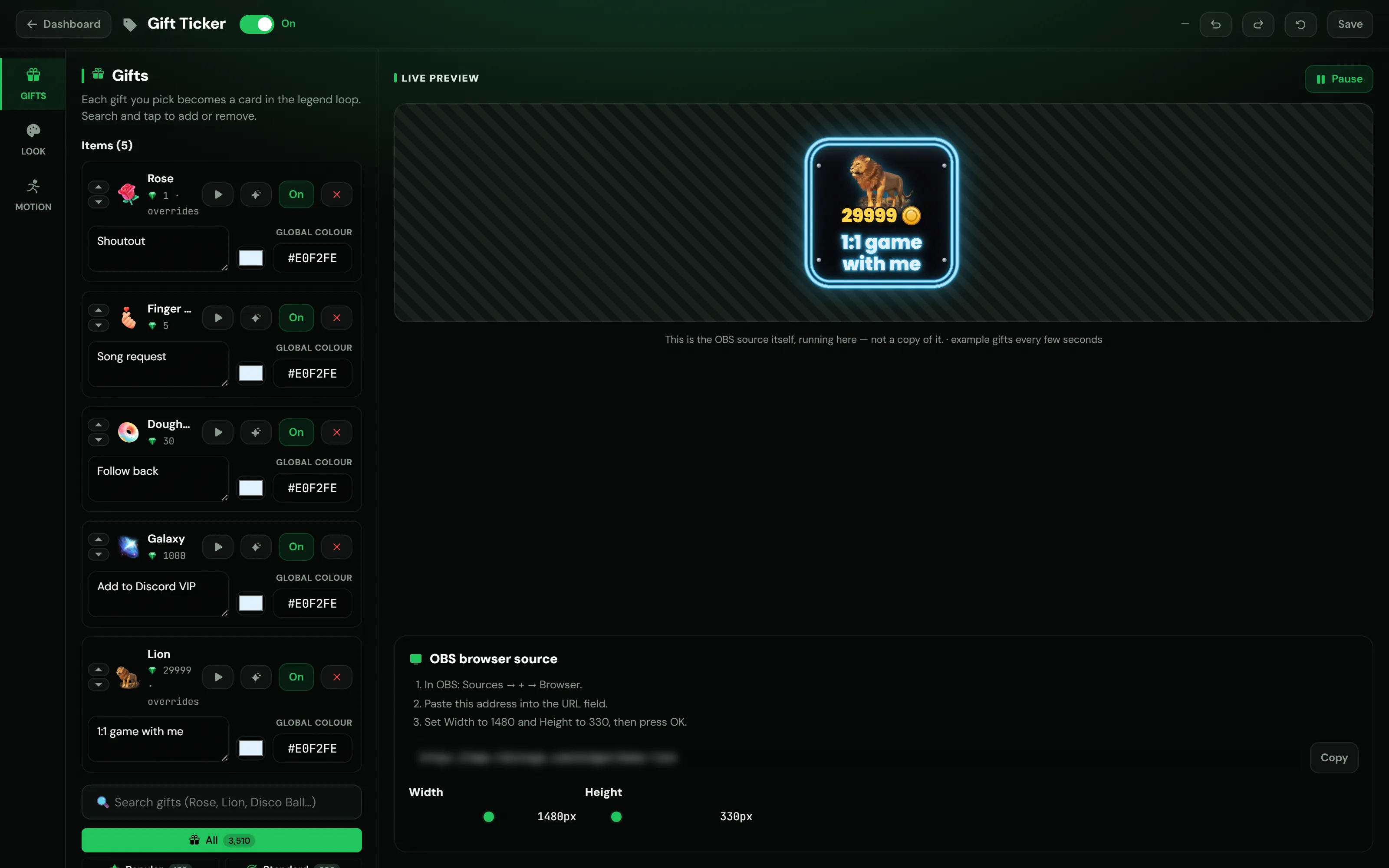
The TikStage Gift Ticker is a gift list overlay for your TikTok LIVE: each gift you pick becomes a card with its picture, its price in coins and your own words. The cards scroll past or show one at a time, and a card pops when a viewer sends its gift.
At a glance
| Plan | Premium to show it on stream. On the Free plan you can build and preview it. |
|---|---|
| Where you build it | The TikStage desktop app for Windows, under Showcase › Gift Ticker. |
| On stream | One browser source link for OBS. You can also place it on the Canvas. |
| Gifts | At least 5 shown gifts, each with your own words. |
| Movement | Continuous strip or One card at a time, left to right or right to left. |
| Live gifts | The card of a gift sent in your LIVE pops, with ×N on combos. |
02How to set it up
How do I add a gift list overlay to my TikTok LIVE?
Open the Gift Ticker in the TikStage desktop app, pick at least 5 gifts and write what each one gets a viewer, choose the look and movement, then copy its link into OBS as a Browser source. The OBS link is part of Premium.
Open the Gift Ticker
In the TikStage desktop app for Windows, open Showcase › Gift Ticker in the sidebar.
Download TikStage for WindowsStart from a template, or empty
An empty ticker offers 4 ready-made tickers, each with 5 gifts and example wording. Use this fills one in; Start empty instead takes you to the gift list.
Add gifts and your words
Search the gift list and tap a gift to add it, then write what it gets a viewer in the box on its row. The ticker needs at least 5.
Pick the look and movement
Use the Look and Motion panels. Changes save by themselves about a second after you stop.
Add it to OBS
Press Copy, then in OBS add a Browser source, paste the link and type the Width and Height the editor shows.
03Gifts and words
What should each gift card say?
Whatever that gift gets a viewer: a shoutout, a song, a dare or a step towards a goal. Each card of the TikStage Gift Ticker shows the gift's picture and price with your sentence, so viewers know what to send.
| Template | What it is for | Example wording |
|---|---|---|
| Rules of my live | What each gift gets a viewer. | I greet you by name; I play your song |
| Prices for requests | A menu: what to send for the thing you want. | A song of your choice; I tell a joke |
| Live goals | Gifts that make things happen on stream. | +1 towards the goal; Confetti on screen |
| Fun & dares | Every gift buys a small dare. | I eat something spicy; 10 seconds of dancing |
A card you leave blank shows the gift's own name, which explains nothing, so the editor marks blank cards and Go to the first one takes you there. Press Enter to put your words on two lines.
Each row also has an On / Off button that hides a gift without removing it, arrows to reorder, and its own text colour. Hidden gifts do not count toward the 5.
04Look and effects
How do I change the look of the gift cards?
In the TikStage Gift Ticker's Look panel, pick one of 8 card designs and one of 5 ready-made looks, then adjust colours, text, glow and effects. Designs and looks keep your gifts and words.
- Designs: Hive, Neon, Holo, Minimal, Aurora, Cyber, Royal and Comic.
- Ready-made looks: Default, Ice, Gold, Mono and Violet. They change colours and font, and keep your design and animations.
- Text: colour and size from 12 to 64 px; under Advanced, the font, weight, outline and shadow, plus a card scale from 50 to 200%.
- Animations: Float, Pulse, Wobble, Swing or Shake, chosen separately for the gift picture and for the text.
- Particles: 9 kinds, such as Sparkle, Hearts and Fireworks, in each gift's own colour.
- One gift only: the sparkle button on a gift's row gives that card its own animation, particles and glow.
React to live gifts is on from the start: when a viewer sends a gift that is on your ticker, its card pops and shows ×N during a combo. Reaction strength is Subtle, Normal or Strong, and ▶ on a gift's row sends a test gift to the preview, no LIVE needed.
05Movement
Can the gift ticker scroll, or show one card at a time?
Both. In the TikStage Gift Ticker, Continuous strip scrolls every card past without stopping, and One card at a time holds each card still, then brings in the next. New tickers start with one card at a time.
| Setting | Continuous strip | One card at a time |
|---|---|---|
| Direction | Left → Right or Right → Left. | The side the next card comes from. |
| Pace | Slow, Normal, Fast, Turbo, or 10 to 400 on the slider. | Hold each card 0.8 to 8 seconds: Quick, Normal or Relaxed. |
| Extra | Spacing between cards, 0 to 240 px. | 6 transitions: Slide, Fade, Zoom, Rise, Drop and Blur, lasting 0.15 to 1.2 seconds. |
| Suggested browser source | 1000 × 280 px | 420 × 420 px |
Switching the movement can change the size the editor asks for. If the ticker is already in OBS, set the same Width and Height there too.
06Limits
What are the limits?
The TikStage Gift Ticker needs Premium and 5 shown gifts to appear on stream, and reacts to gifts only while TikStage is connected to your LIVE.
- The OBS source is Premium. On the Free plan the editor shows an upgrade button instead of the link.
- With fewer than 5 shown gifts nothing appears on stream; the preview tells you how many more you need.
- Built in the TikStage desktop app for Windows: not in a web browser, no Mac build.
- Cards pop only for gifts that are on the ticker, only while TikStage is connected to your LIVE, and viewers see it only if that card is on screen.
- No sound and no viewer names: it is a legend of your gifts, not a feed of who sent them.
07Is it free?
Is the TikStage Gift Ticker free?
Partly. You can build and preview the Gift Ticker on the Free plan with no expiry date, but its OBS source, the part that shows on your stream, is part of Premium.
Free plan
Build and preview
The editor, the 4 ready-made tickers and the live preview. The OBS box reads Premium is required for the live OBS source.
Premium
On your stream
The OBS browser source link, so the ticker you built shows on your stream.
08FAQ
More questions creators ask
Can I try the Gift Ticker before paying?
Yes. On the Free plan you can build it, use the ready-made tickers and watch the live preview; the OBS link needs Premium.
Why does my Gift Ticker not show in OBS?
It needs at least 5 shown gifts, a Premium plan, and the switch at the top of the editor set to On.
Do my changes reach OBS without adding the source again?
Yes. Saved changes reach the ticker that is already in OBS by themselves.
Does the Gift Ticker play sounds?
No. The cards are silent.
What is the difference between Gift Ticker and Gift Board?
Gift Board is a still picture of a gift with your text. Gift Ticker is an animated loop of your gifts that runs all stream and reacts to live gifts.